What to take to the appointment, already written down.
“How’s feeding going?” is a hard question at nine in the morning after a night you barely remember. Bundle of Joy turns what you’ve already logged into a three-page pediatrician report: growth, feeds, diapers and doses. Print it, or send it ahead.
What’s on it, page by page.
Here’s an example report, using sample entries.
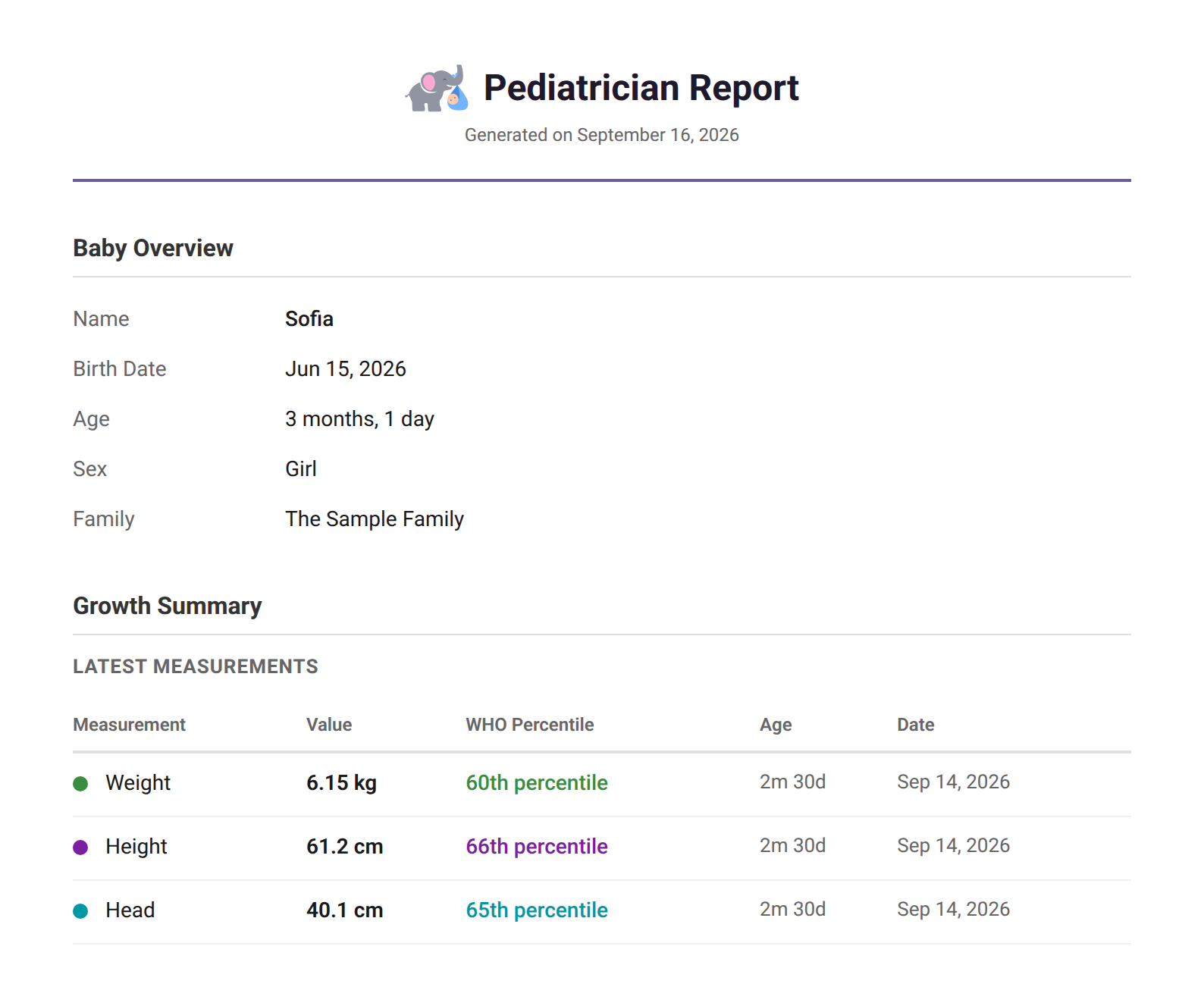
1. Your baby’s details and latest measurements
Name, birth date, age to the day, and the three latest measurements with the WHO percentile each one lands on. Every row has the age and the date it was taken.
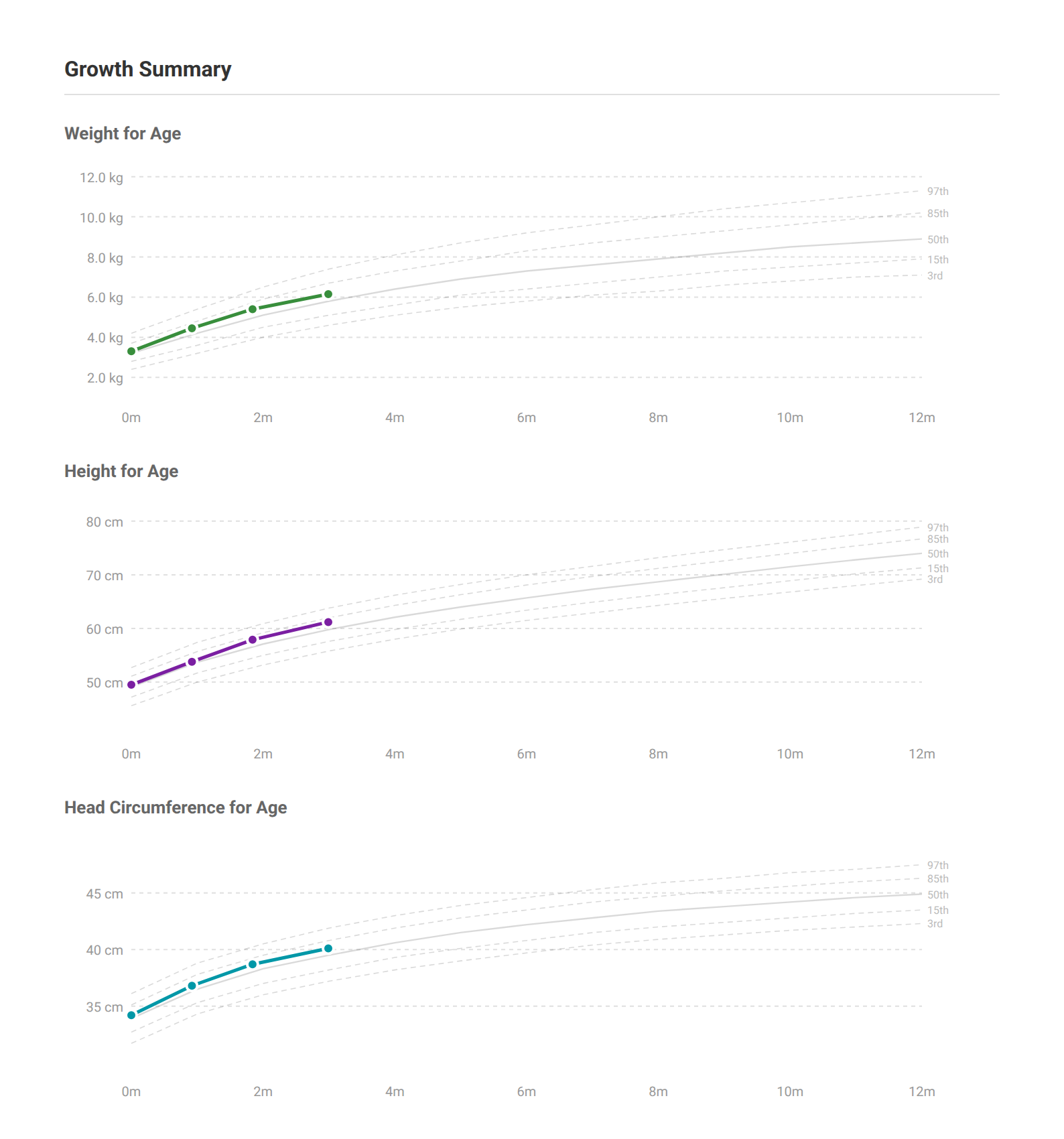
2. The three growth charts, with your baby’s line
Weight, length and head circumference drawn over the WHO 3rd to 97th percentile curves. A pediatrician reads the shape over time, and nobody can describe that from memory.
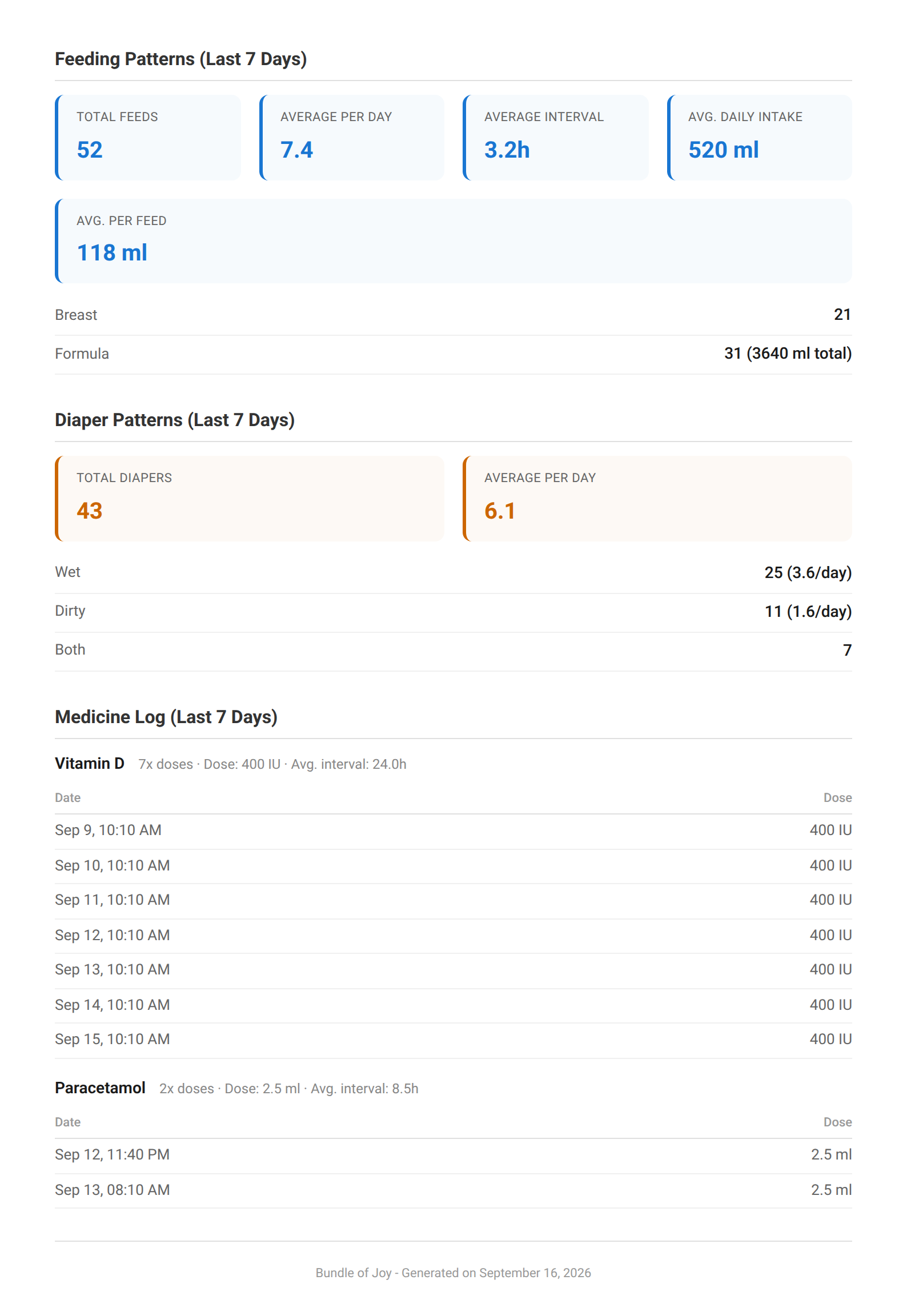
3. Feeding, diapers and doses over the last week
Seven days of feeds with the average gap between them and how much a day, diapers split wet and dirty, and every dose of every medicine with the time it was given. Most of what gets asked in the first five minutes.
Getting it takes two taps.
Open the menu at the top of the app and tap Generate Report. A couple of seconds later it’s ready to print or share.
- Free, on every plan.
- The last seven days of feeds, diapers and medicine, plus every growth measurement you’ve logged.
- Made on your device. It needs a connection to gather your entries, so make it before you leave the house. Nothing goes anywhere until you share it.
- Always in kg and cm, even if you use lb.
- Nothing logged yet? The app says so, instead of handing you three blank pages.
Why bring anything written down?
Because the questions are about the weeks in between, and nobody remembers those. How often she’s feeding, how much, how many wet diapers, when the last dose was. Easy from a log. Almost impossible at the end of a bad week.
It matters more when there are two of you. Half the answers belong to whoever was up at 4AM, and they’re usually the one not in the room. With a shared log, either of you can bring the same report.
The WHO curves are on it because that’s what a measurement is read against. Nothing’s flagged or called normal, so there’s nothing to decode in the waiting room. That part is your pediatrician’s.
Log it as you go, and the report is already written.

Before the appointment
- Plot a measurement on the WHO chart. Free, no account, if you want the percentile before you go.
- Work out the exact age. In weeks, months, or corrected age for a baby born early.
- The WHO weight tables. Every month from birth to five years, in both units.
- How growth tracking works in the app. The charts the report draws from.
Walk in with the answers.
Free, and the report comes with it.